From delivery app Straight to your kitchen
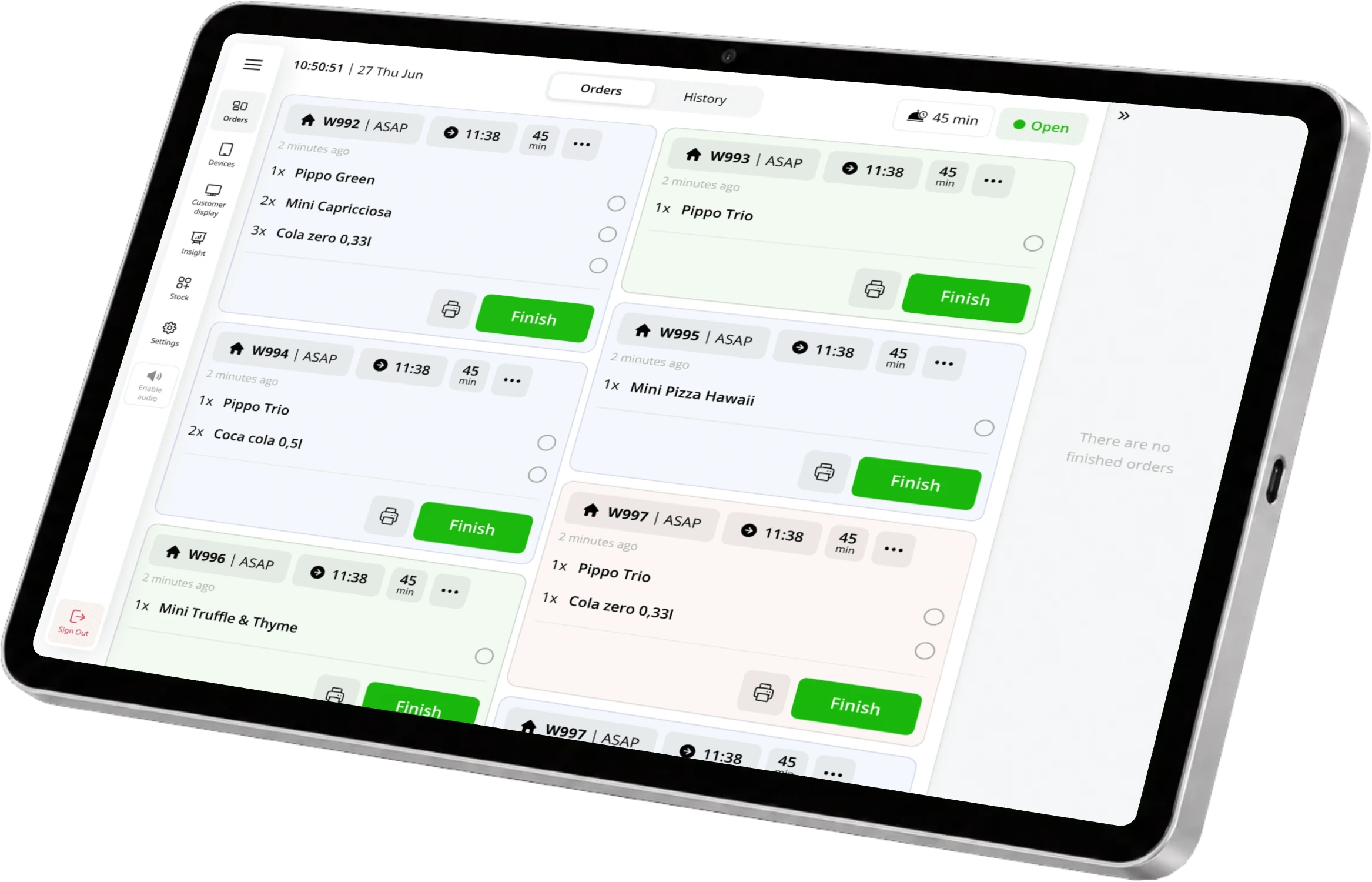
Orders arrive in ninito without being entered again.
 Your POS and kitchen
Connect Wolt, foodora and Uber Eats to your ninito point of sale (POS). Orders arrive automatically, without extra delivery tablets or double entry. Menus and sales stay in one place, with sales sent to your connected accounting system.
Orders arrive in ninito without being entered again.
Your POS and kitchenA delivery order should not interrupt service. ninito sends it straight to your kitchen, so your team can prepare the food instead of copying an order from another tablet.
They find your restaurant and order on Wolt, foodora or Uber Eats.
Let ninito accept it automatically, or approve it yourself.
The order reaches your existing kitchen screens and printers, clearly marked with its delivery platform.


Los Tacos brought Wolt, foodora and Uber Eats into the same POS, alongside kiosk and QR orders. One setup connects ordering and kitchen operations.
Read the Los Tacos storyA delivery platform integration connects the apps your guests order from to the POS your restaurant runs on. Orders, menus and sales become part of the same operation.
Wolt orders arrive in your ninito POS and kitchen alongside your other orders. Manage the Wolt menu, prices and dish availability in ninito, and see Wolt sales in the same reports as the rest of your restaurant.
Explore WoltConnect your foodora restaurant to ninito so the kitchen receives orders without manual entry. Keep foodora menu updates and platform prices together with your other channels, and pause foodora when your kitchen needs time to catch up.
Explore foodoraBring Uber Eats marketplace orders into the same ninito POS and kitchen flow. Your team sees where each order came from, while Uber Eats sales join your reporting and connected accounting. Your own website and app remain open for direct orders.
Explore Uber EatsThese connections handle orders placed on delivery marketplaces. Need couriers for orders from your own website? See Direct Delivery.
Sold out during service? Mark the dish sold out on every connected channel, or only the ones you choose. Help avoid orders you would have to cancel.
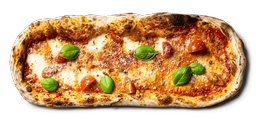
Available on all 8 channels
Set a different price for each delivery platform. Your own menu keeps the price you choose.
Try changing a price.
Try a longer preparation time or pause a platform.
OpenOpenOpenAll three platforms are accepting orders.
When orders build up, extend preparation time or pause a delivery platform. Keep the other channels open while your kitchen catches up.
Delivery sales appear alongside your other sales in ninito reports. With an accounting connection set up, sales and VAT figures are transferred automatically, so your team avoids entering the same figures again.
Sales and VAT sent to connected accounting



Connect Wolt, foodora and Uber Eats as part of your ninito subscription. Your orders, menu and kitchen stay in one system.
The integrations are free for ninito customers, with no additional subscription, transaction fee or one-time setup fee from ninito. Each delivery platform’s own commissions, charges and agreement still apply.
Wolt, foodora, Uber Eats and Just Eat connect directly to ninito. Glovo is also supported. Orders, menu updates, channel prices and sales reporting are managed in ninito for your connected platforms.
You choose. Enable automatic order acceptance to send incoming orders straight into the kitchen workflow, or keep manual acceptance in ninito. Staff do not need to switch between delivery tablets or enter accepted orders into the POS again.
The integrations bring orders from your connected delivery platforms into ninito POS. Orders follow your ninito kitchen screen and printer setup, with the platform shown on each order. Your team prepares them in the same workflow as orders from your own channels, without typing them into the POS again.
Mark the dish sold out on all connected channels, or choose individual channels in ninito. This covers Wolt, foodora, Uber Eats, Just Eat, your website, self-service kiosks, POS and app. Menu changes are managed centrally too, so you do not maintain a separate menu in every system.
Yes. Set pricing rules for each platform while keeping one shared menu. For example, you can set Wolt prices 15% higher and foodora prices 20% higher, keep all prices the same, or lower prices on selected channels. Your own website, kiosk, POS and app keep the prices you choose.
You set the permissions for activating and pausing delivery platforms and your own ordering channels. Employees can only use the controls you allow. Preparation times are managed in ninito, with a shared time across connected platforms or a separate time for each one.
Yes. Connected delivery sales appear alongside your other restaurant sales in ninito reports and the manager app. Compare channels, check sales on Apple Watch and manage campaigns and marketing across your sales channels from ninito.
Yes. Delivery sales and VAT are sent to your connected accounting system using the posting setup configured for your restaurant. Your team does not have to retype the same sales figures. Platform payouts and fees still need to be reconciled in your accounting workflow.
Yes. Your restaurant keeps its own account and agreement with each delivery platform. ninito connects those platforms to your POS and kitchen. Guests still find your restaurant and place orders through the platform, and its own terms and charges continue to apply.
Contact ninito with the delivery platforms and restaurant locations you want to connect. We can discuss your menu, prices for each platform, automatic or manual order acceptance, and the kitchen screens or printers you use.
Preferred by the best restaurants