Find the tools you use and see how they fit. We agree the data, locations and setup before connecting. Payment options depend on your country, sales channel and merchant agreement.
PowerOffice
Bring sales and VAT into your accounting workflow. Supported invoice flows can also be configured with PowerOffice.
Tripletex
Connect the restaurant’s sales to your bookkeeping. Agree the accounts and VAT treatment with your accountant before activation.
24SevenOffice
Accounting, invoicing and financial administration. Match the connection to the company and accounting workflow you use in 24SevenOffice.
Agro Økonomi
Historical accountsFor businesses with historical Agro accounts. Agro has been discontinued, so talk to us about your transition and current accounting system.
Zirius
Keep restaurant sales connected to your Zirius accounting. Choose the company, accounts and reporting structure during setup.
Fortnox
Bookkeeping and invoicing for your Swedish business. Plan the sales connection around your Fortnox company and accountant’s workflow.
Visma
Visma includes several accounting products. Tell us which product and version you use so we can identify the right connection.
Xledger
Connect restaurant sales to your Xledger accounting setup. Agree how locations should be represented in your financial reporting.
DNB Regnskap
Banking and accounting in one system. Bring your sales workflow into the setup your business already uses with DNB.
Eika Regnskap
Accounting connected to your local bank. Review your Eika company and bookkeeping needs when planning the sales connection.
Fiken
Keep the restaurant and its bookkeeping connected. A practical option for businesses that already manage their accounts in Fiken.
SpareBank 1 Regnskap
Accounting, invoicing and banking together. Match restaurant sales to the company and account structure used by your finance team.
Unimicro
Connect the sales workflow to your Unimicro accounts. We review the product edition and bookkeeping setup with your team.
Bokio
Swedish bookkeeping with invoicing and banking tools. Review your Bokio plan and accounting workflow before connecting the restaurant.
Business NXT
For businesses using Business NXT as their financial system. Plan the connection around your companies, locations and accounting structure.
Dooer
Dooer brings financial information together. Confirm your Dooer product and account with us before defining the data to connect.
Spiris
Bookkeeping and invoicing for Swedish businesses. Match the restaurant’s sales workflow to your Spiris product and accounting setup.
SpeedLedger
Bookkeeping built around bank transactions. Agree how restaurant sales and payment settlements fit into your SpeedLedger workflow.
Monitor ERP
An ERP system with accounting and operational tools. Review the exact modules and data exchange needed for your business.
Wolt
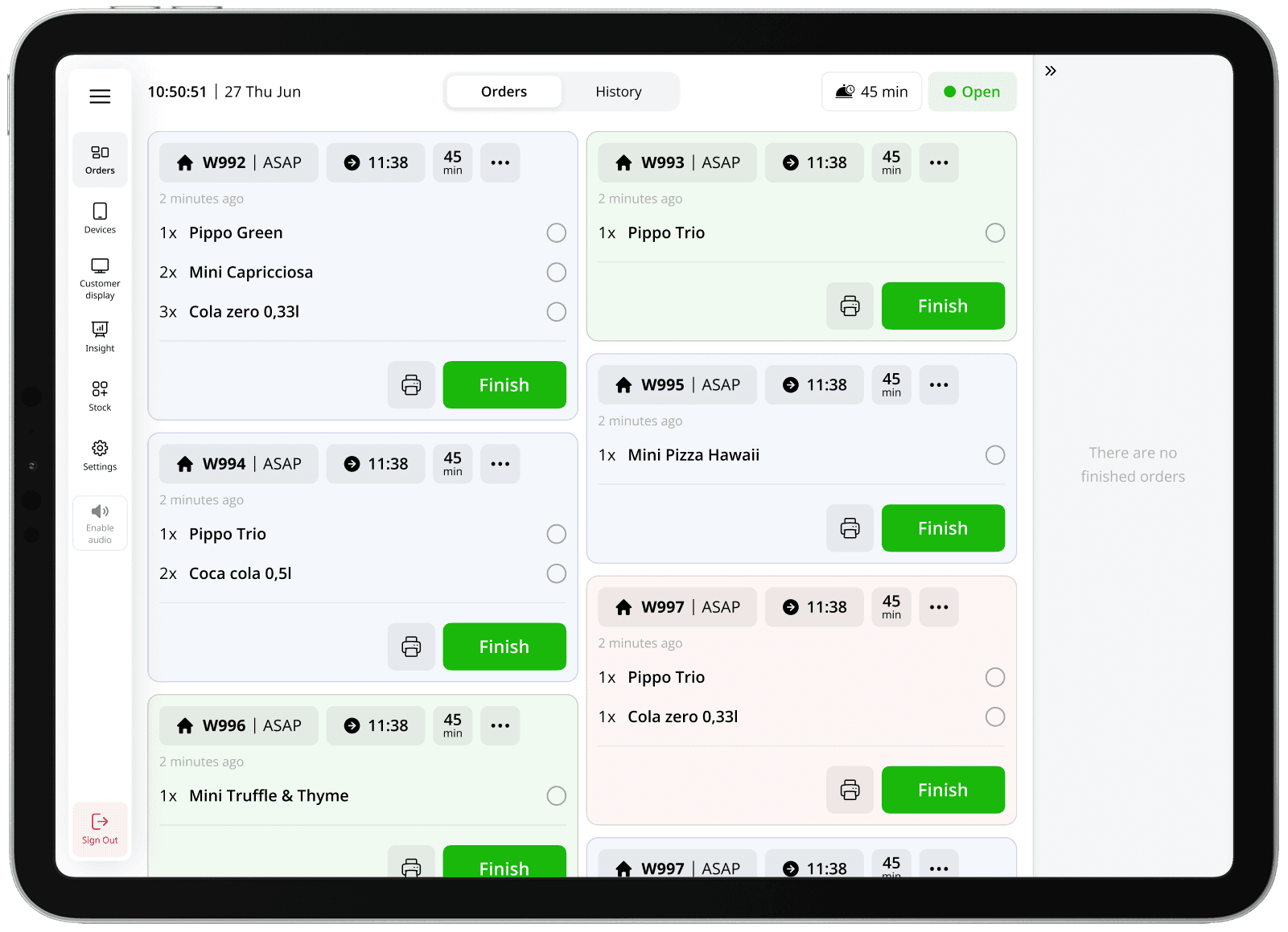
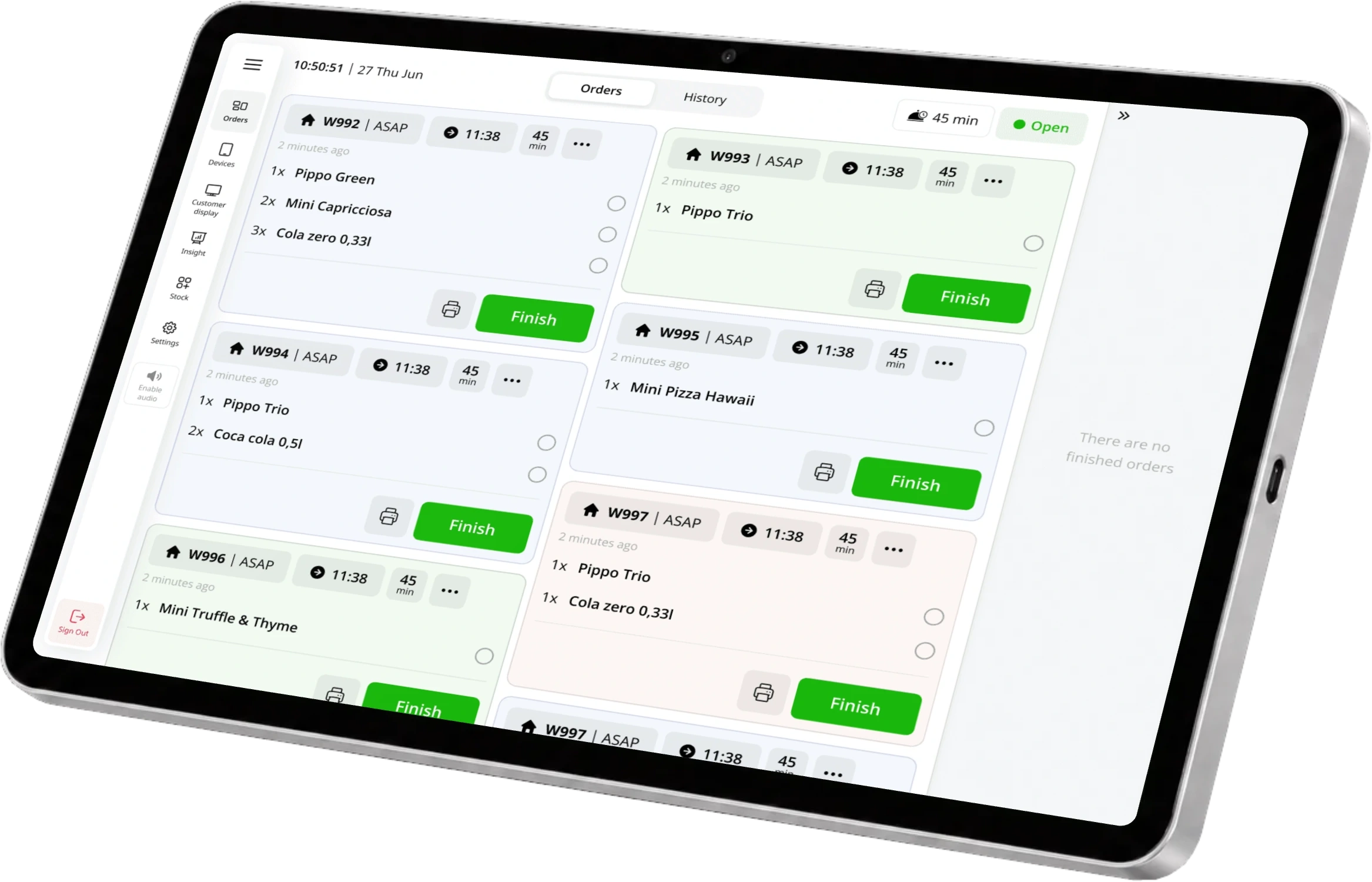
Orders from the Wolt marketplace go to ninito KDS. Manage menu items and platform prices alongside your other ordering channels.
Edda
Sales insight, forecasts and operational planning. Review which restaurant data should support your Edda analysis and planning.
Wolt Drive
Couriers deliver orders placed in your own webshop. Delivery depends on local coverage and courier availability.
Uber Direct
Book delivery for orders from your own channels. Use external couriers where available, alone or alongside your own drivers.
Foodora
Bring foodora marketplace orders into the kitchen automatically. Keep platform menus, prices and sales reporting together in ninito.
Just Eat
Receive Just Eat marketplace orders in ninito KDS. Your team follows one kitchen flow across connected ordering channels.
Stockifi
Connect sales and waste to recipes and stock counts. Compare expected ingredient use with actual usage and costs.
Uber Eats
Marketplace orders join the rest of your kitchen flow. Manage the menu, platform prices and reporting from ninito.
Planday
Shift planning and labour cost analysis. Agree the sales units and reporting periods for your Planday connection.
Personalkollen
Staff scheduling, payroll and sales analysis. Review the restaurant and department structure before setting up the connection.
Shop24
Already use Shop24? Tell us what you want to connect, and we will review the available setup with your team.
Dankort
A familiar debit card payment option in Denmark. Acceptance depends on the terminal and merchant agreement.
BankAxept
Norwegian card payments at the restaurant. Requires a compatible terminal and an acquiring agreement.
Apple Pay
Guests pay with cards saved in Apple Wallet. Available checkout and terminal flows depend on your payment setup.
Google Pay
Let guests use saved payment cards in supported checkouts. Device, card and channel support follow your payment provider.
Vipps
Let guests approve the payment in Vipps. Connect the right merchant account for the sales channels you want to offer.
Swish
Mobile payments for guests who use Swish in Sweden. Requires a supported business payment setup.
MobilePay
Mobile payments for guests using MobilePay. Country, merchant account and sales channel determine the available flow.
Visa
Accept Visa cards through your connected payment provider. Keep the payment linked to the restaurant order.
Mastercard
Card payments for guests using Mastercard. Available card types and channels follow your merchant agreement.
JCB
Serve guests who pay with JCB cards. Confirm acceptance with your payment provider when setting up the restaurant.
American Express
A card payment option for American Express customers. Activation and fees depend on your acquiring arrangement.
UnionPay
Card acceptance for guests using UnionPay. Confirm the supported terminal and online channels for your location.
Klarna
Klarna payment options for supported online checkouts. Available methods depend on country, merchant approval and your payment setup.
Glovo
Glovo marketplace orders reach ninito KDS automatically. Manage platform menus and prices with your other delivery channels.
tamigo
Workforce planning for your restaurant. Bring sales insight into staffing, scheduling and labour-cost decisions.
Google tag / Google Ads
Connect your Google advertising to completed online orders and their value.
Google Analytics 4 (GA4)
Understand the journey from a menu view to a basket, checkout and purchase.
Meta Pixel + Conversions API
Connect Facebook and Instagram advertising to webshop activity and paid orders.
Google Tag Manager
Connect your webshop to the measurement tools your marketing team already uses.
Snap Pixel
Connect your Snapchat advertising to guest activity in your webshop.
Snap Conversions API
Send conversion signals directly from ninito to support your Snapchat campaigns.













































 Daily salesExample · NOK